














Geometry Dash Lite: The Ultimate Guide to Rhythm and Reflexes
Table of Contents
About Geometry Dash Lite
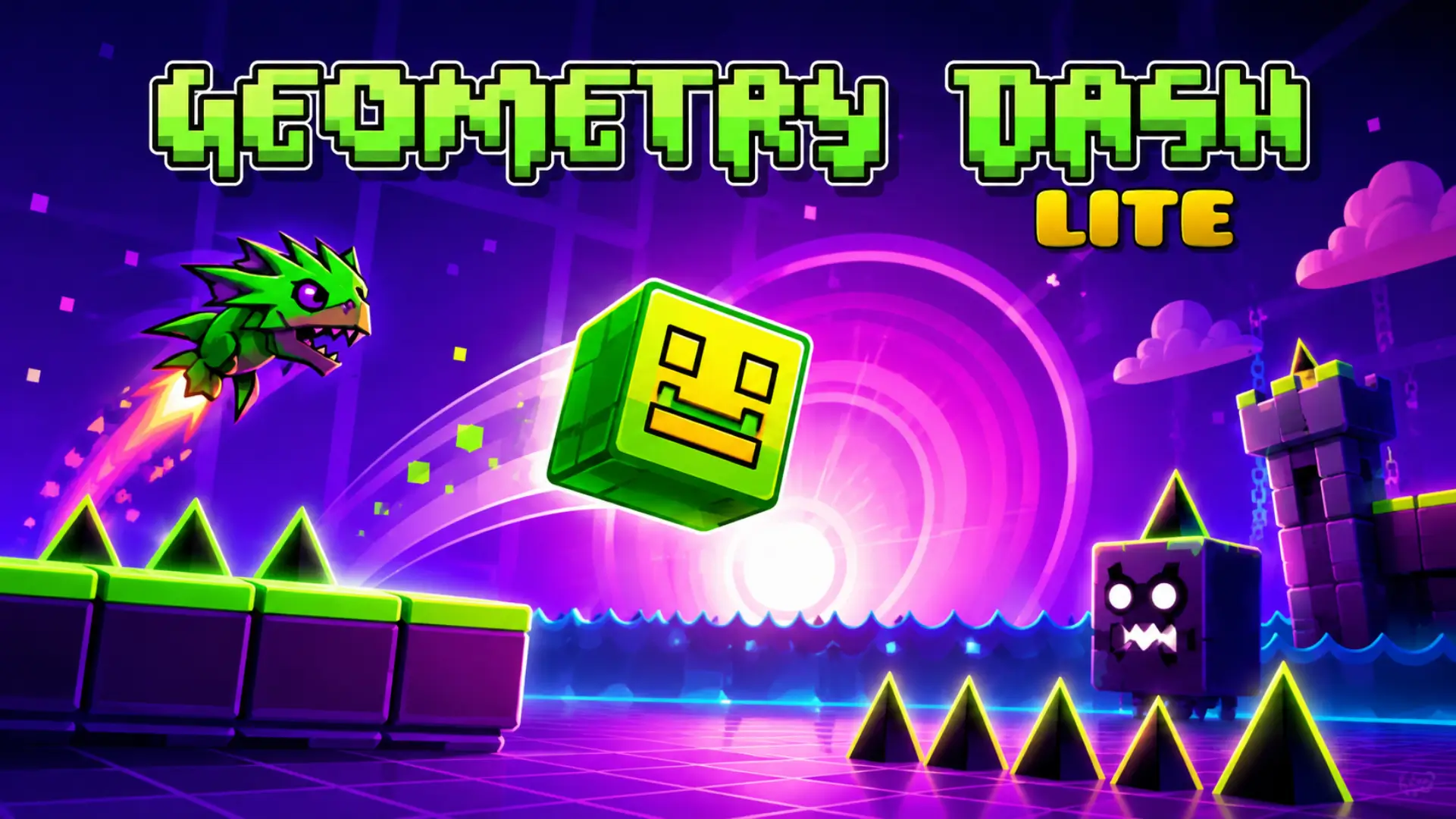
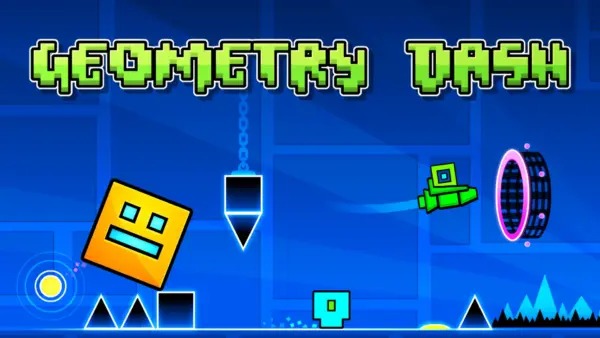
If you have ever wanted to test the absolute limits of your reaction time and hand-eye coordination, look no further than Geometry Dash Lite. Developed by the Swedish mastermind Robert Topala, operating under the name RobTop Games, this title is a masterpiece of rhythm-based platforming. At first glance, the game appears deceptively simple. You control a single geometric cube that slides relentlessly from left to right across a screen. Your goal? Navigate through a gauntlet of lethal spikes, buzzsaws, gravity-shifting portals, and moving obstacles.
What makes Geometry Dash Lite a global phenomenon isn’t just its simplicity, but its punishing, maddening, and ultimately triumphant gameplay loop. It is a game that does not tolerate mistakes. A single touch against a spike or a wall sends you back to the very beginning of the level. This “one-strike-and-you’re-out” mechanic creates an atmosphere of high-tension excitement that few other games in the mobile or browser space have ever achieved.
The Lite version serves as the perfect entry point. It features a curated selection of levels that slowly introduce you to the game’s unique physics. From the basic jumping mechanics of the early stages to the complex “Rocket” and “Wave” modes later on, Geometry Dash Lite trains your brain to process visual information in milliseconds.
The Legend of RobTop Games
To understand the game, you have to understand its creator. Robert Topala, often referred to by his community as “RobTop,” single-handedly crafted a game that would become a standard-bearer for the indie rhythm genre. Released initially in 2013, Geometry Dash was built on the foundation of classic games like The Impossible Game, but it refined the formula into something far more sophisticated.
The success of the game is attributed to RobTop’s commitment to “tight” gameplay. In game design, “tightness” refers to how responsive the controls are. In Geometry Dash, there is zero input lag. When you click, you jump. The predictability of the physics engine allows players to memorize levels as if they were pieces of music, leading to a community culture that treats the game less like a platformer and more like a high-speed skill sport.
The Physics of Movement: Core Mechanics
Geometry Dash Lite is not just a jumping game. As you advance through the levels, the game fundamentally changes your interaction with the environment:
- The Cube: The classic mode. You tap to jump. Gravity is constant, but timing is the difference between life and death.
- The Ship (Rocket): In this mode, holding the click/tap propels you upward, while releasing causes you to drift downward. You must navigate through narrow corridors and avoid ceiling spikes.
- The Ball: This mode introduces gravity flips. Every tap switches your gravity from ceiling to floor. It requires a completely different mindset to navigate.
- The UFO: The UFO mode introduces a “flappy” mechanic. Each tap provides a quick burst of upward momentum, simulating a jump mid-air.
- The Wave: Often considered the hardest mechanic, the Wave mode moves at a sharp 45-degree angle. You must tap rhythmically to “zigzag” through tight gaps.
Mastering the transition between these modes—especially when a portal switches you from a Cube to a Ship in a split second—is the true challenge of the game.
The Psychology of Difficulty: Why We Keep Playing
Why do we keep playing a game that makes us restart hundreds of times? The answer lies in the “Flow State.” Geometry Dash utilizes a loop of “Fail -> Analyze -> Retry -> Succeed.” Because levels are short and restarts are instant, the frustration of failure is immediately replaced by the opportunity to try again.
Unlike games that use “Lives” or “Energy” to stop you from playing, Geometry Dash Lite invites you to fail over and over. Every time you die, you learn one more millisecond of the pattern. When you finally beat a level, the endorphin rush is massive. It is this cycle of incremental improvement—going from 10% progress to 50% progress, then 80%, then 100%—that makes the game so incredibly addictive.
The Pulse: Why Music is Everything
You cannot play Geometry Dash Lite effectively on mute. The soundtrack is not just there for decoration; it is a structural part of the level design. Every obstacle, every jump pad, and every gravity portal is placed exactly on a specific beat of the music.
Players who master the game stop looking at the hazards and start listening to the track. By syncing your inputs with the bass, snares, and synths of the electronic tracks, you stop reacting consciously and start reacting instinctively. This syncopation is the heart of the “rhythm” in this rhythm-platformer.
Advanced Strategies: Mastering the Flow
If you want to clear the hardest levels in the Lite version, stop playing randomly and start playing strategically:
- The Practice Mode Secret: Never just dive into a level and hope for the best. Use Practice Mode extensively. It allows you to place checkpoints. If you die, you restart at your last checkpoint instead of the start. Use this to drill the “hard parts” until you can do them consistently.
- Don’t Panic-Tap: A common mistake for new players is to tap rapidly when things get chaotic. This usually leads to hitting the ceiling or missing a landing. Trust the rhythm. Most obstacles have a specific, singular jump window.
- Watch the Background: In some of the faster-paced levels, the background can be distracting or misleading. Focus your eyes on the cube, but scan the immediate vicinity ahead of you.
- Learn to Hold: Beginners often tap-tap-tap. Advanced players learn when to “hold” the jump button, which allows the character to auto-jump across platforms seamlessly.
- Consistency over Speed: On many levels, there are multiple ways to pass an obstacle. Find the path that feels most natural to you and stick to it. Muscle memory is your greatest asset.
The Geometry Dash Ecosystem: Comparing Versions
RobTop has created several spin-offs that cater to different playstyles:
- Geometry Dash Full: The definitive experience. It contains 21 official levels and, most importantly, the Level Editor. The editor is what gave the game infinite replayability, allowing players to build and share their own levels.
- Geometry Dash Meltdown: A 3-level spin-off that showcases the game’s lava-themed art and heavy electronic music. It is a great test of mid-level skills.
- Geometry Dash World: This version is great for players who want bite-sized chunks. It features 10 short levels spread across 2 worlds and includes daily quests.
- Geometry Dash SubZero: Arguably the most difficult of the spin-offs. The three levels here are “Demon” difficulty, designed for players who have already mastered the mechanics in the Lite version.
Accessing Geometry Dash Lite
Geometry Dash Lite is available on almost every major platform. You can find it on the Apple App Store, Google Play Store, KickoutGames.com, and Steam. Because of its highly optimized engine, it runs well on older hardware, meaning you don’t need a powerful gaming PC to enjoy it. Whether you are using a mobile phone, a tablet, or a laptop, the game’s performance remains rock-solid.
Is Geometry Dash Lite Unblocked?
Many browser-based versions of Geometry Dash exist on sites like yours that allow you to play unblocked at school or work. These browser ports are fantastic for short breaks. However, keep in mind that the full experience (level editors, online saves) is only found in the official downloadable versions. If you are playing at school, always ensure you are following your institution’s acceptable use policy.
Is it Safe for Kids?
Geometry Dash Lite is one of the safest games available. It contains no chat, no social media integration, no violence (other than a geometric shape disappearing into particles), and no gambling mechanics. It is highly recommended for children and pre-teens as it teaches patience, resilience, and fine motor skills. The game rewards failure as a learning step, which is a great psychological lesson for younger players.
Frequently Asked Questions
What is the difference between Geometry Dash Lite and Full?
The Lite version is a free demo with 13 levels and ads. The Full version has 21 levels, a level editor, and access to online user-generated content from millions of players.
How do I get better at Geometry Dash?
Practice mode is your best friend. Don’t play the full level until you have cleared the hardest parts of the level in Practice Mode using checkpoints.
Is Geometry Dash Lite free?
Yes, Geometry Dash Lite is free-to-play on mobile and desktop platforms.
Who developed Geometry Dash?
Geometry Dash was developed by Robert Topala, a Swedish indie developer known as RobTop Games.
Can I create my own levels in the Lite version?
No, the level editor is a feature exclusive to the full paid version of the game.
What is the hardest level in the game?
Among the official levels, ‘Deadlocked’ and ‘Clubstep’ are generally considered the most difficult.
Do I need to be good at rhythm games to play?
Not at all! You will naturally develop the rhythm as you play. The game trains you to understand the beat of the music.
Why is the game so addictive?
It’s the “Near Miss” effect. When you die at 99% of a level, your brain immediately wants to recover that progress, making it hard to put the controller down.
Is there a way to remove ads in Lite?
Ads are part of the free model. To support the developer and enjoy an ad-free experience, the Full version is the only option.
What does the “Practice Mode” button do?
It allows you to place checkpoints manually. If you crash, you spawn at the last checkpoint rather than the beginning of the level.
Can I customize my character?
Yes, you can change your character’s colors and icons in the icon kit section of the game.
Does the game run on older computers?
Yes, the game is extremely lightweight and is optimized for low-end hardware.
Are the levels procedurally generated?
No, every level is handcrafted by the developer or the community. This is why the rhythm is so perfect.
How many levels are there in Lite?
The Lite version typically includes 13 official levels to master.
Is this game considered “Hardcore”?
Yes, it is often categorized as a “Hardcore” rhythm platformer due to the high level of precision required.
Comments