























Master the jungle market! Can you turn a small banana stand into the ultimate retail empire? Dive into the adorable chaos of Monkey Mart unblocked—the addictive management game that puts you in charge of a bustling supermarket. Start growing crops, hire your monkey crew, and upgrade your way to success. Ready to manage your first store? Play free online right now!
Table of Contents
About Monkey Mart: The Idle Management Hit
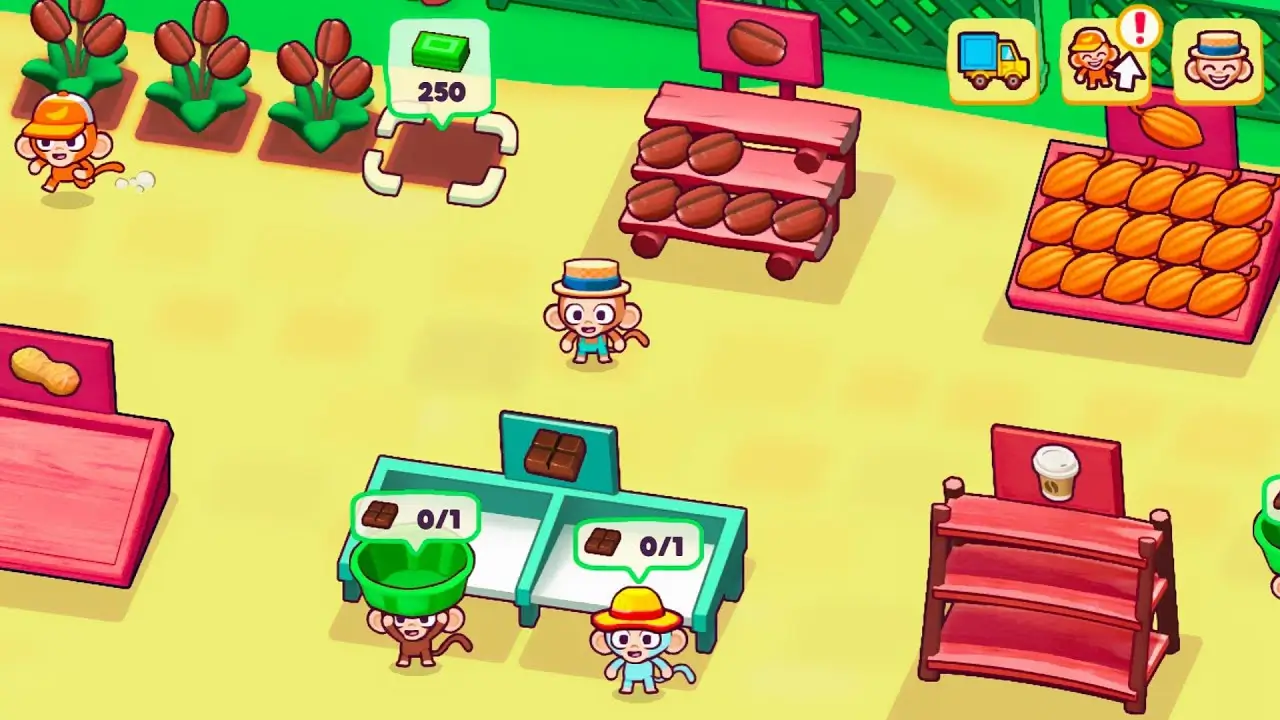
Monkey Mart is a charming and addictive idle/management game developed by TinyDobbins. You take control of a clever monkey starting their own supermarket empire from scratch. The simulation is simple yet deeply engaging: you plant and harvest crops (bananas, corn, wheat), stock your shelves, and check out customers at the cash register to collect money.
As your little farmer’s market grows, you can hire various monkey assistants—farmers, stockers, chefs, and cashiers—to help automate the process. The game constantly challenges your strategic planning skills as you decide which stalls to unlock, which employees to train, and which appliances to buy to prepare advanced products like muffins, ice cream, and peanut butter. It’s the ultimate supermarket management simulation perfect for all ages.
How to Play & Controls
The gameplay is simple and intuitive, focusing entirely on movement and positioning. You don’t need to press action buttons; your character automatically performs tasks just by standing in the correct spot!
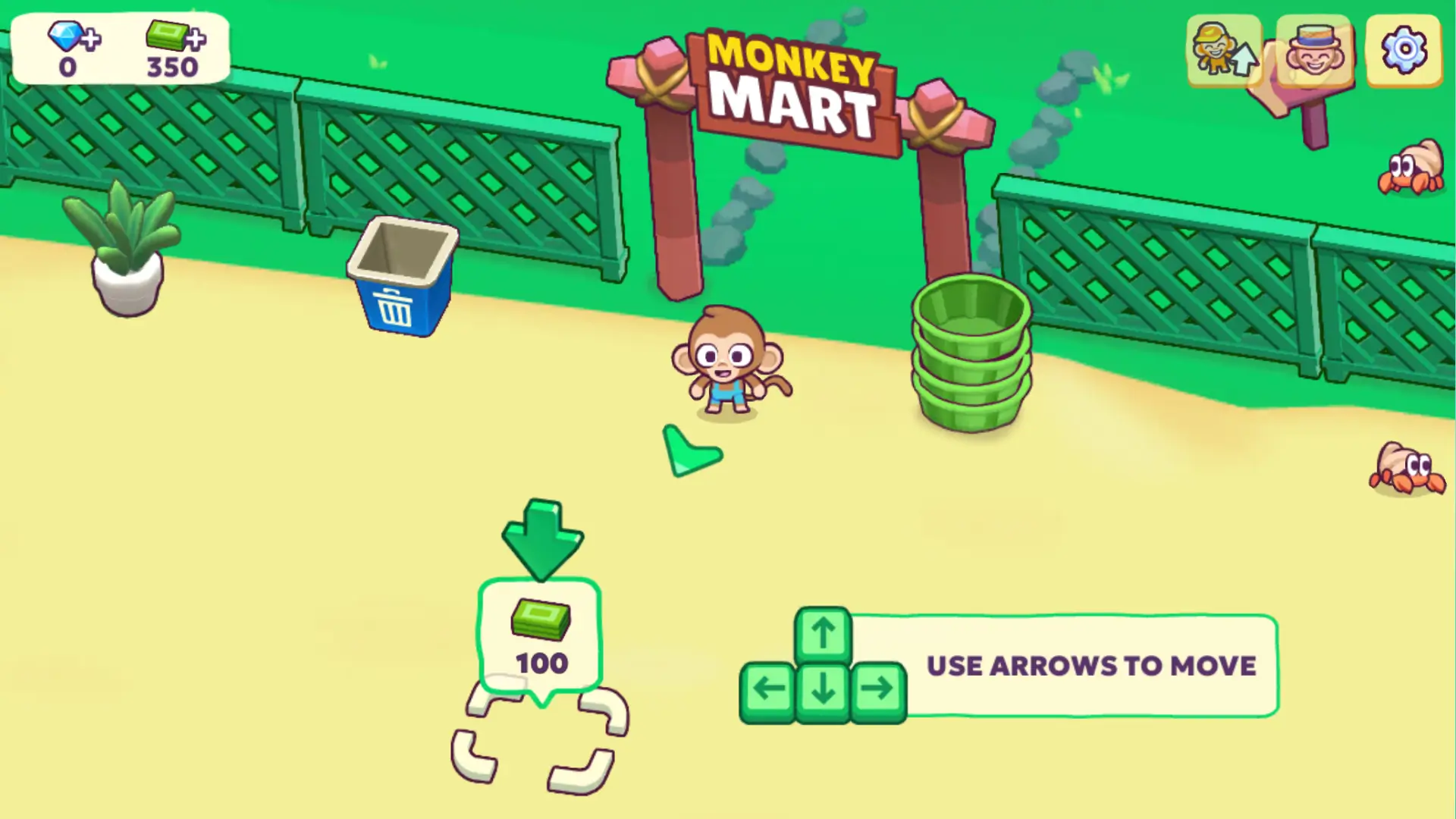
- Move: Use the WASD keys or the Arrow keys.
- Plant/Harvest: Walk over a planting spot to sow seeds. Walk over a mature crop to harvest it.
- Stock Shelves: Pick up a harvested item and walk next to the corresponding empty aisle; your monkey will automatically stock it.
- Collect Cash: Walk next to the cash register where money is piled up, and your monkey will automatically collect the usable funds.
The goal is to maintain the flow: harvest, stock, sell, collect cash, and upgrade!
Managerial Mastery: The Ultimate Upgrade Priority Strategy
Upgrades are the engine of your supermarket management simulation. Tapping the arrow icon at the top of the screen reveals the Upgrades menu. To maximize your profit and progress faster, here is the best priority for your spending:
- Tier 1 Priority (Early Game): Player Carry Capacity. Your first few upgrades should always be focused on the main character. Upgrading your carry capacity lets you move more items at once, which dramatically cuts down on the time you spend stocking shelves—the biggest early-game bottleneck.
- Tier 2 Priority (Mid Game): Cashier Speed. Once you have a few stalls, the cash register becomes the bottleneck. Invest in increasing your Cashier’s speed and energy to quickly process customers and keep the sales flowing.
- Tier 3 Priority (Late Game): Appliance Capacity & Employee Energy. Focus on upgrading machines (like the Chocolate Maker) to increase their product capacity and boost the energy/motivation of all your hired assistants. This reduces the number of times they fall asleep and minimizes your manual intervention.
Smart financial management means investing in efficiency (Player/Cashier) before luxury (new product appliances).
Mart 4 and Beyond: New Product Lines and Unlock Strategy
Monkey Mart constantly expands, challenging you to unlock bigger and more complex branches.
How to Unlock New Branches (Mart 4)
To be eligible to open a new branch (like Mart 4), you must first save enough money to build all mandatory stalls and features in your current location. Pay attention to where the camera briefly focuses; this indicates the next mandatory build spot. Once your initial construction is 100% complete—meaning no empty spots require cash—the option to unlock the next branch will appear.
New Products: Mart 3 and Mart 4
The game constantly introduces new products that require complex processing:
- Mart 3: Unlocked the ability to make and sell chocolate muffins, cookies, and ice cream, dramatically increasing your profit margins.
- Mart 4: The newest expansion adds even more advanced products, requiring mastery of the new appliances and a full-scale automated supply chain.
To switch between the branches you own, simply walk outside your shop and stand next to your truck, or tap the truck icon at the top of your screen.
Key Management Features
This supermarket management simulation is packed with engaging features that keep you hooked:
- Diverse Staff: Hire and train dedicated monkey employees for sales, farming, and cooking, transforming your small shop into an automated empire.
- Advanced Appliances: Use machines like the Peanut Butter Maker, Wheat Mill, and Ice Cream Machine to turn raw crops into high-profit items.
- Character Customization: Spend your hard-earned cash on cool hats and accessories to manage your market in style.
- Continuous Progress: There is no “Game Over.” You only focus on constant expansion, upgrades, and unlocking new stages.
Pro Tips for Maximum Profit
Ready to become a super merchant? Use these Monkey Mart tips and tricks to maximize your revenue and speed up your success:
- Product Prioritization: When you unlock a new product (like the chocolate muffins in Mart 3), prioritize stocking its shelves first. New goods attract customers and often have the highest profit margins, leading to faster revenue.
- Keep an Eye on the Cash: The cashier monkeys collect money from customers, but the boss monkey (you) must collect the cash from the counter to convert it into usable funds for upgrades. Don’t let the pile get too big!
- Don’t Forget the Farmer: Your monkey farmers are critical. They determine the speed of the supply chain. Prioritize increasing their energy and production speed to ensure a constant stream of raw materials.
Idle or Active? Why You Must Stay on the Screen
Despite being categorized as an idle game, Monkey Mart requires you to be active on the screen. If you leave the game screen or switch to another tab, all activities, including farming, stocking, and production, will pause. The game does not run in the background. To earn money and progress, you must keep the Monkey Mart window open and on the screen.
How to Access and Play Monkey Mart
Start your journey to becoming a wealthy super merchant instantly! The best and fastest way to play is to simply play Monkey Mart online in your browser right here. The game is also available on mobile platforms for a dedicated app experience:
Is Monkey Mart Unblocked?
Play Monkey Mart unblocked right here on our site. Because this is a simple HTML5 browser-based game, it often sails past network restrictions in places like school or work. If you find your access restricted, searching for mirror links or playing through a platform known for hosting unblocked games is often the solution. Always respect your institution’s internet policies.
Popular search terms: Monkey Mart unblocked, monkey mart unblocked 6x, play Monkey Mart at school.
Is Monkey Mart Safe for Kids? (Management & Ads)
Monkey Mart is an excellent, lighthearted game generally considered safe and educational for kids and pre-teens. The graphics are cute, the theme is positive (running a business), and there is no violence, gore, or graphic content. The main learning element is financial management and supply chain logistics. Parents should be primarily mindful of two factors:
- Frustration: The difficulty of managing the supply chain can be frustrating if you don’t upgrade staff quickly.
- Ads: As a free browser game, the site hosting the game will feature ads, which parents should monitor for suitability.
Similar Games You’ll Love
If you’ve loved the management and tycoon aspects of Monkey Mart, you’ll definitely enjoy these titles:
- Idle Farming Business – Another relaxing idle game focused on farming and profit growth.
- My Perfect Hotel – A deeper management game where you build and run a hotel empire.
- Cow Bay – A cute, resource-management game involving farm animals and market production.
Frequently Asked Questions
Who created Monkey Mart?
Monkey Mart was created by TinyDobbins, an independent developer known for fun and addictive management and merge games.
Is Monkey Mart a free game?
Yes! Monkey Mart is completely free to play in the web browser and as a mobile app download.
How many marts are there in Monkey Mart?
Currently, the game has been updated to include Mart 4. The game is constantly being updated, so players should expect the possibility of Mart 5 in the future.
How do I unlock a new mart?
You must unlock all of the mandatory stalls and features in your current mart and save enough money to purchase the next branch location.
Can you play Monkey Mart on iPad?
Yes, you can play Monkey Mart on an iPad or any tablet through the browser version or by downloading the official app from the App Store.
What is the best way to earn more money?
The best way to earn money is to prioritize upgrading your Cashier and Player Carry Capacity first, as this removes the biggest bottlenecks and accelerates your cash-to-upgrade cycle.
Why are my employees falling asleep?
The monkey assistants are working hard and get tired quickly. You can prevent them from falling asleep by increasing their motivation and energy in the Upgrades menu.
Does Monkey Mart run in another tab?
No. Despite having an idle theme, Monkey Mart pauses all activity if you switch to another browser tab or minimize the window. You must stay on the screen to progress.
What kinds of products can the chef make?
The Chef is responsible for making advanced products like chocolate bars, coffee, yogurt, popcorn, peanut butter, muffins, cookies, and ice cream from your raw harvest.
How do I collect the cash from customers?
The Cashier handles the customer payment, but the boss monkey (you) must walk to the cash register where the money is piling up to collect the usable funds.
What do the hats do in Monkey Mart?
The hats and accessories you unlock and wear are purely cosmetic. They do not provide any in-game boosts to speed, capacity, or performance.
Is there a way to cheat in Monkey Mart?
While many players search for ways to **cheat in Monkey Mart** or use “hacks” for money, using such methods can break the game, cause bugs, or ruin the fun of the core management challenge. It is always recommended to play honestly.
What is the latest mart?
The latest major update introduced Mart 4, giving players new product lines and new challenges to overcome in their supermarket empire.
Can I transfer money between my marts?
Yes, you can use the funds you collect from one profitable mart to invest in and upgrade a newer branch that is struggling to get started. This is a key management strategy.
Why did my appliances stop working?
Appliances can slow down or temporarily “break” (stop production). You can make them more resistant and increase their output capacity by upgrading them in the Upgrades menu.
What is the best appliance to upgrade first?
Prioritize upgrading the appliance that makes your highest-profit item first (usually the appliance for the newest product line), as this gives you the fastest return on investment.
Watch the Pros: Monkey Mart Advanced Upgrade Strategies & Mart 4 Unlocks
Want to see how expert players achieve a fully automated market and unlock the newest branches? This video showcases pro-level gameplay, detailing the precise upgrade priority to maximize profits and giving you a sneak peek at the advanced product lines in Mart 4. Watch now to learn the advanced tricks!
Ready to go from a banana stand to a supermarket giant? Monkey Mart is the perfect blend of simple mechanics and deep, satisfying management gameplay. With new marts constantly unlocking, the challenge never ends. Don’t wait! Start building your monkey mart empire for free on your browser today!
Comments