












Table of Contents
About Run 3D
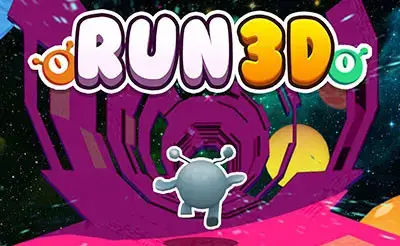
Get ready for an adventure that’s out of this world! Run 3D is a super popular and addictive action-platformer where you control a little alien running and jumping through treacherous tunnels in space. This game is famously known as Run 3, especially on sites like Cool Math Games, but many players call it Run 3D because of its cool, three-dimensional perspective. Your goal is simple: run as far as you can without falling into the vast emptiness of space. You’ll need to jump over gaps, dodge crumbling tiles, and even run on the walls and ceilings to change gravity and find a safe path forward. It’s a fast-paced test of reflexes and planning that will keep you on the edge of your seat!
The game is set in a whole new galaxy of architecturally strange tunnels. With its simple controls and increasingly difficult levels, Run 3D is easy for anyone to pick up but offers a serious challenge to master. Whether you’re exploring the galaxy level by level or testing your endurance in an endless run, this game provides hours of fun. Get ready to run, jump, and defy gravity!
How to Play Run 3D
The controls in Run 3D are very straightforward, letting you focus on the action. You’ll use your keyboard to navigate the cosmic tunnels and keep your alien runner safe.
- Controls:
- Left and Right Arrow Keys (or A and D): Move your character left and right.
- Up Arrow Key (or Spacebar): Jump. The longer you hold the key, the higher and longer you’ll jump!
- Rotate the World: As you run, you can move to the sides of the tunnel to rotate the screen, turning the walls into your new floor.
- Objective: Your main goal is to survive. You must navigate through a series of platforms and tunnels without falling off. In Explore Mode, you need to reach the end of each level to unlock new ones. In Infinite Mode, the objective is to run as far as possible to get the highest score.
- Gameplay Loop: You’ll run automatically. Your job is to time your jumps and movements perfectly to avoid holes. If you fall, you have to restart the level. As you progress, you’ll unlock new characters with special abilities that change how you play.
- Tips for Beginners: Start with Explore Mode to get a feel for the different types of obstacles. Don’t be afraid to run on the walls—it’s a key part of the game!
Game Features
Explore a Whole New Galaxy
In Explore Mode, you’ll advance through a huge map of levels, each with its own unique challenges. You’ll encounter new types of tiles, tricky tunnel layouts, and discover different areas of the galaxy. Completing levels unlocks the path forward and introduces you to new alien friends you can play as.
Unlock Unique Alien Characters
Run 3D features 9 different characters to unlock! You start as the Runner, but you can soon unlock others like the Skater (who moves faster but is harder to control), the Bunny (who jumps constantly), and the Lizard (who has a better jump). Each character has their own skills, making certain levels easier or more challenging. Try them all to find your favorite!
Two Awesome Game Modes
Besides Explore Mode, you can also play Infinite Mode. This mode challenges you to an endless run through a randomly generated tunnel. It’s a great way to practice your skills, collect valuable power cells scattered throughout the level, and compete for the highest score. Be careful, because one fall and your run is over!
Tips and Strategies
- Control Your Jumps: A short tap on the jump button makes a small hop, perfect for tiny gaps. A long press gives you a huge leap for crossing wide chasms. Mastering jump control is the key to success.
- Always Look Ahead: Try to focus on the path coming up, not just where your character is. This helps you plan your moves and decide which way to rotate the tunnel to find a safe path.
- Use Infinite Mode for Practice: If you’re stuck on a tough level in Explore Mode, hop into Infinite Mode for a few runs. It will help you improve your reflexes and get used to different obstacles without the pressure of having to finish a specific level.
- Switch Characters for Tricky Levels: If a level seems impossible, try using a different character. For example, the Skater is great for levels that require speed, while other characters might be better for levels with lots of precise jumps.
How to Download Run 3D
You can dive right into this cosmic adventure without waiting for any downloads! Run 3D runs directly in your web browser using modern HTML5 technology, so there’s nothing to install. Just click play to start your journey through the space tunnels instantly on your computer. This makes it super easy and quick to get into the game whenever you want.
Is Run 3D Unblocked?
Run 3D is available to play unblocked right here on our site. Many players access it from school or work networks. If restricted, try mirror links or use platforms that host unblocked versions. Always follow your institution’s rules.
Popular search terms: Run 3D unblocked, play Run 3D at school, Run 3 Cool Math.
Is Run 3D Safe for Kids?
Absolutely! Run 3D (Run 3) is a perfect game for players of all ages. It is completely free of any violence, inappropriate language, or mature themes. The game is purely about skill, timing, and quick thinking. Its presence on educational game sites like Cool Math Games is a testament to its kid-friendly nature. The cartoonish alien characters and challenging-but-fun gameplay make it a safe and engaging choice for kids, parents, and teachers.
Similar Games You’ll Love
Frequently Asked Questions
What is Run 3D?
Run 3D, most famously known as Run 3, is a free online platformer game where you control an alien running and jumping through tunnels in space, with the ability to run on walls by rotating the level.
Can you still play Run 3D without Flash?
Yes! The modern version of Run 3D has been converted to HTML5, so it works perfectly in any web browser without needing Adobe Flash Player.
What are the two game modes?
The game has Explore Mode, where you play through a galaxy of pre-designed levels, and Infinite Mode, where you run through an endless, randomly generated tunnel to get a high score.
How do you unlock new characters?
You can unlock new characters by completing certain levels in Explore Mode or by collecting enough power cells in Infinite Mode to purchase them.
Quick Voice Answer
Run 3D is a fun and challenging skill game where you run and jump as an alien through space tunnels, even running on the walls. Play now for free, no download needed.
Watch the Galactic Action!
Want a preview of the high-speed, gravity-defying fun? Check out the gameplay video below to see what it takes to survive the treacherous tunnels of Run 3D. Get a feel for the jumps, the turns, and the speed before you start your own cosmic journey!
Comments